ClockShark Time Tracking
- 3.5
- Rating
- 50.00K
- Installs
- Free
- Price

 Analysis by App-foxy
Keeping track of work time sounds simple until a day includes several jobs, changing priorities, travel between locations, and a handful of interruptions. I tested ClockShark Time Tracking with that kind of working rhythm in mind, rather than treating it as just another clock-in button. My overall impression is that it works best when it becomes part of a repeatable daily habit: choose the right job, start the shift, keep the record current, and close the day with enough detail to make the hours useful later.
This is a free business app from Clockshark LLC, aimed at people who need a clearer connection between time worked and the jobs that time belongs to. It has an Everyone content rating, and the current release is version 2.18.1 for devices running OS 11 or newer. The app has passed the early-adoption stage, with more than 50 thousand installs, although its average score of 3.5 from roughly 95 ratings suggests that the experience is useful for some teams while still leaving room for improvement.
I would not describe it as a complete business-management system. Its value is narrower and more practical: it gives a team a shared place to record working time and associate that time with jobs. That focus can be a strength. If your main problem is scattered notes, forgotten clock-outs, or uncertainty about where a day was spent, the app has a sensible role. If you want deep accounting, full project management, or a broad employee platform in one package, you may find its scope limiting.
You May Also Like

 Blood Strike: 2.5 Anniversary
Blood Strike’s Loadouts Turn Every Drop Into a Tactical Gamble
A close look at Blood Strike’s custom loadouts: how fast access to signature weapons reshapes its battle royale rhythm, rewards preparation, and narrows the gap between fights.

 Pandora - Music & Podcasts
Pandora’s Music Is Easy to Start, but Harder to Recover
Pandora’s strength is its low-effort path from a seed to a station. Its weak spot is how much confidence it asks you to place in connection, setup, and quiet recovery.

 8 Ball Pool
8 Ball Pool Is Built on Rivalries, Rematches, and Routine
A close look at the rivalries, rematches, shared routines, and unanswered safety questions that turn a quick pool match into a persistent mobile community.

 Samsung Music
Samsung Music’s Quiet Strength Is Playing What You Already Own
Its reach comes less from spectacle than from dependable access to a personal library. That simplicity is both the app’s strongest retention engine and its ceiling.

 AccuWeather: Weather Radar
AccuWeather Review: A Quick, Clear Forecast for Everyday Decisions
For everyday plans, the best forecast is the one you can understand quickly. AccuWeather makes rain timing, radar, and local conditions easy to act on, with a few trade-offs.

 Hill Climb Racing
Why Hill Climb Racing Still Turns Crashes Into One More Run
A tiny car, a bumpy hill and one more upgrade: Hill Climb Racing keeps resurfacing because its simple chaos makes every near-miss feel personal.
More From Our News Desk
View All News


Building a reliable workday around time capture
I start this section with the practical foundation: accurate time capture depends on a routine people can follow while work is moving. Before relying on any record, I’d make sure the team agrees on what counts as a job change and uses clear, consistent job names. That small bit of preparation makes the daily process easier to trust and sets up a closer look at how the habit holds up in practice.
Why the workflow matters before opening the app
The most important preparation happens before anyone taps the clock. A time-tracking app cannot rescue a workplace where jobs are named inconsistently, workers are unsure which task to select, or nobody has agreed when a job changes. I found that ClockShark is easier to use when the team has a simple rule for identifying work: decide what counts as a separate job, use recognizable names, and switch records at the moment the work genuinely changes.
That sounds obvious, but it prevents a common failure. A worker may begin the morning on one customer’s work, answer a call about another, pick up materials, and then return to the first assignment. Without a clear habit, the entire morning can end up under one vague label. The app can record time, but the quality of the final record still depends on the person making the selection at the right moment.
For a small contractor, field service team, maintenance crew, or similar operation, this is where the app feels most relevant. The phone becomes the place where the working day is marked as it happens instead of reconstructed from memory. I prefer that approach to paper sheets because the decision is made close to the event. It is also more useful than a general notes app, where a time entry can easily be separated from the job it describes.
There is a practical trade-off here. Clocking in and out adds a small interruption to the day, especially for people who move quickly between short assignments. That interruption is worthwhile when the business needs job-level visibility, but it may feel unnecessary for someone who only wants a rough personal estimate of weekly hours. In that case, a simpler timer or calendar routine may be less demanding.
Capturing time without turning the routine into paperwork
My preferred routine is deliberately short. At the start of work, I identify the job, begin the time record, and leave the app alone while I work. When the assignment changes, I stop treating the old job as active and record the new one. At the end of the day, I check the sequence rather than trying to remember every detail from scratch.
This approach makes the app a capture tool rather than a second workplace. The less time I spend browsing around, the more likely I am to use it consistently. A useful tip is to make the job-selection decision before arriving at a busy moment. If I know the first assignment in advance, I can begin the day with less hesitation. When several jobs are possible, I would rather pause for a few seconds and choose carefully than create a vague entry that needs explanation later.
Another useful habit is to treat a job change as a boundary. Moving from installation to travel, from one customer to another, or from paid work to an unrelated personal interruption can affect how the hours should be understood. I would not create needless fragments for every tiny interruption, but I would avoid leaving one timer running through a major change. The app is most valuable when its records reflect meaningful blocks of work.
For supervisors, the benefit is not simply seeing a total. The more important question is whether the hours can be connected to the work that produced them. A total daily figure may tell you that someone worked a long day; job-linked entries can help explain where that time went. That distinction is especially useful when reviewing a project, discussing an estimate, or spotting a recurring mismatch between planned and actual effort.
Turning individual entries into an organized record
ClockShark Time Tracking makes more sense when the team agrees that the app is the shared language for work time. One person’s careful entries do not help much if everyone else uses different labels or waits until the end of the week. I would introduce it alongside a short naming guide: use the customer or project name consistently, avoid personal abbreviations, and make the intended job obvious enough to select under pressure.
This is one of the less visible decisions that can determine whether the app remains useful after the first week. A long list of nearly identical jobs creates hesitation and increases the chance of choosing the wrong one. A carefully maintained list supports faster capture. That is not a flashy feature; it is an organizational discipline that makes the app feel lighter in daily use.
I also recommend a brief end-of-day review for anyone responsible for approving or billing time. The purpose is not to rewrite every entry. It is to catch obvious gaps while the day is still fresh: a forgotten clock-out, a job that appears to have continued through a location change, or an unusually long block that needs context. Reviewing daily is less stressful than reconstructing a whole pay period from memory.
For a worker, this review can be as simple as asking three questions: Did I start the correct job? Did I switch when the work changed? Did I end the record when I stopped? For a manager, the same questions become a lightweight quality check. This is where the app supports a sustainable productivity system: it reduces the mental burden of remembering, but it does not remove the need for a short human review.
A repeatable routine for teams and solo workers
The strongest setup I found is a three-part rhythm. First, prepare the job list and expectations before the workday. Second, capture time at the start and at meaningful changes. Third, review the record at the end of the day or during a scheduled administrative block. Keeping those steps separate prevents the app from becoming a constant distraction.
For a solo worker, the routine can remain very small. Start the relevant job in the morning, switch only when the assignment changes, and check the record before finishing. For a team, the same structure can be reinforced through a shared expectation that everyone records time as they work rather than submitting a guess later. The app becomes more dependable when the behavior is consistent across the group.
A realistic example would be a technician who begins with a repair at one customer, spends part of the afternoon on a second service call, and finishes by returning to the first location for a final check. A paper note might contain three times written in different formats. A general calendar could show appointments without accurately reflecting the working blocks. With ClockShark, the useful result comes from switching the active job at each meaningful transition and reviewing the sequence before the day closes.
The trade-off is that this routine requires attention at transitions. People who spend most of their day on one stable assignment may barely notice the effort. People who handle many short jobs may find the repeated choices tiring. In that second situation, the team should decide whether detailed job-level tracking is genuinely worth the friction. More detail is not automatically better if it causes people to skip entries altogether.
Where the experience can break down
The first failure point is human memory. If someone forgets to start tracking, the app cannot create an accurate record of the beginning of the shift. The same is true for forgotten job changes. I would rather see a team build reminders into its normal arrival and departure habits than assume the app alone will keep everyone accurate.
The second failure point is ambiguity. When two jobs have similar names, a rushed user can select the wrong one without noticing. This is why clean organization matters more than adding every possible label. Before rolling the app out widely, I would test the job list with the people who use it in the field. If they cannot identify the right entry quickly, the list needs attention.
The third issue is overtracking. It is tempting to record every brief activity separately in the hope of producing perfect detail. In practice, excessive switching can make the system annoying and create records that are difficult to interpret. I think ClockShark is better used for meaningful work segments than for documenting every minute of movement. The right level of detail depends on how the business uses the information afterward.
There is also a learning curve around accountability. Some workers may initially see time tracking as surveillance rather than organization, particularly if the purpose has not been explained. A manager should make clear what the records are meant to support: clearer job costing, fewer forgotten hours, simpler review, or more reliable planning. The app cannot solve a trust problem, and using it without a clear policy may create resistance instead of better records.
Finally, a phone-based workflow is not equally comfortable for everyone. Someone who is already handling tools, equipment, customers, or safety-sensitive tasks may not want an extra interaction at every transition. I would make the routine quick and avoid asking workers to perform unnecessary edits in the middle of demanding work. If the environment makes phone interaction impractical, a different process may be safer and more realistic.
How it compares with familiar alternatives
Compared with paper timesheets, ClockShark offers a more immediate connection between the moment worked and the job selected. Paper can be flexible and familiar, but it depends heavily on handwriting, memory, and later data entry. I would still choose paper for a very small operation that only needs an occasional rough record, but it becomes less attractive as jobs multiply or several people need to review the same information.
Compared with a calendar, the app is more focused on actual time capture than planned appointments. A calendar is excellent for knowing where someone is supposed to be, but it does not necessarily show what work was performed or how long the work actually lasted. I see the two tools as complementary rather than interchangeable: the calendar can plan the day, while ClockShark can document the working time attached to jobs.
Compared with a general timer, the important difference is context. A basic timer may be faster when I only need to measure one activity, but it can leave the resulting number disconnected from the customer or assignment. ClockShark is the better fit when the business needs time organized around jobs rather than around personal productivity experiments.
Compared with a broad workforce or accounting platform, this app may feel easier to approach because its central purpose is clear. The compromise is that businesses seeking a large collection of connected administrative tools may prefer a more comprehensive system. I would not select ClockShark solely because it is free; I would select it when straightforward time and job organization is the main requirement.
Who should adopt it and who should skip it
I think the app is a good candidate for small teams that regularly move between customer jobs and need workers to record time from a phone. It also suits owners who are tired of interpreting incomplete paper sheets, and solo operators who want a more disciplined record without adopting an oversized business platform. The free price makes experimentation easier, especially when the team can agree on a simple routine before expanding its use.
It is less convincing for someone who works one fixed schedule, one location, and one assignment most of the time. That person may gain little from job switching and could find a simpler clock or calendar sufficient. I would also hesitate to recommend it to a business that needs extensive financial management, advanced project planning, or a highly customized operational system. Those needs may justify comparing more specialized alternatives before committing to a workflow.
The public response is worth keeping in perspective. With an average rating of 3.5, the app is neither presented as universally smooth nor dismissed as unusable. I read that as a reason to test the daily routine with a small group first. Install it on the devices that will actually be used, define a few representative jobs, and see whether workers can start, switch, and finish records without slowing down their work. A short practical trial will reveal more than a rating alone.
My recommendation after using it
ClockShark Time Tracking is most effective when treated as a habit system, not a magic record keeper. Its central value is helping people connect working time with the job that received it. That can improve the quality of reviews and reduce the guesswork that follows a busy week, but only if the team keeps job names clear and records transitions consistently.
I would recommend trying it if your current process relies on memory, scattered notes, or timesheets completed long after the work happened. Start with a small workflow, explain why the records matter, and add a quick end-of-day check. Pay attention to whether the app saves administrative effort or merely moves the effort into repeated phone interactions.
My final view is positive but measured. The free business app from Clockshark LLC has a sensible place in a sustainable productivity routine, particularly for field-oriented teams and job-based work. Its success depends less on constant feature exploration and more on disciplined use: choose the right job, capture at the right moment, and review before details fade. If that matches your working reality, it is worth trying on a compatible device running OS 11 or newer. If your needs are broader than time and job organization, I would look beyond it rather than expecting one focused tool to manage the whole business.
FAQs for ClockShark Time Tracking
01What is ClockShark Time Tracking used for?
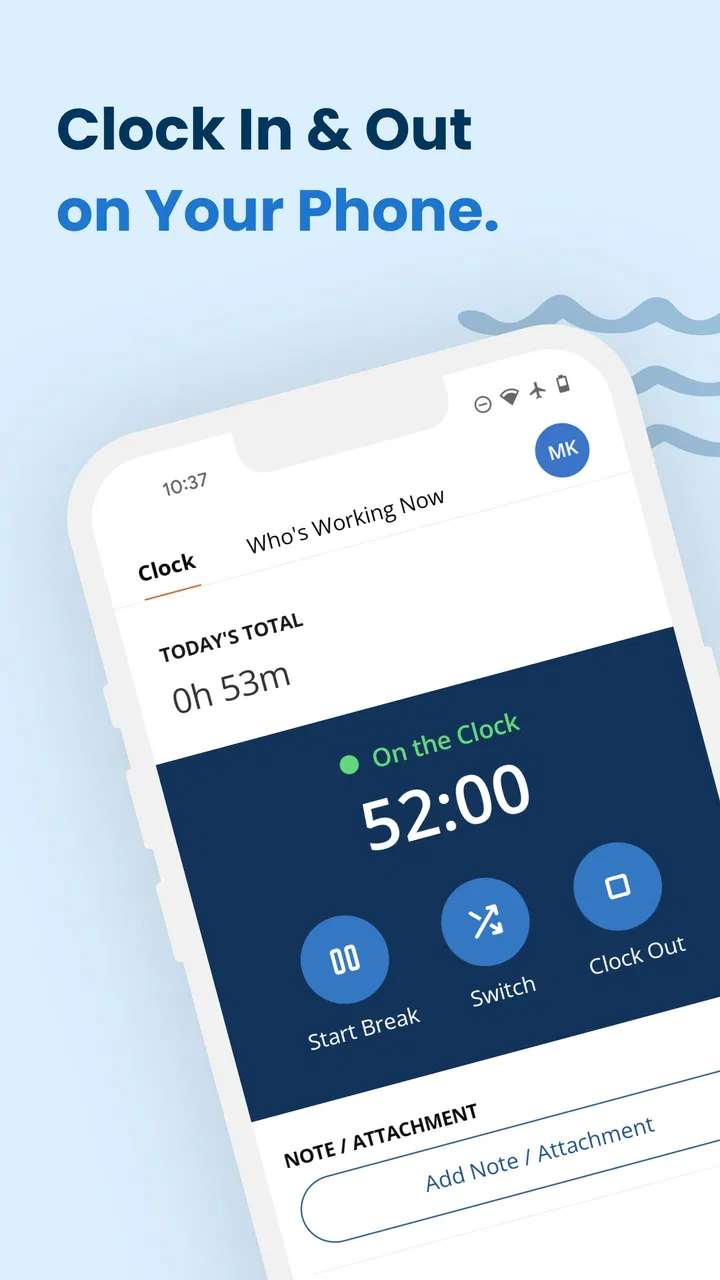
ClockShark is a time-tracking and workforce-management app designed mainly for mobile teams, contractors, and service businesses. After testing its core workflow, I found that it lets employees clock in and out, record breaks, track time against jobs or projects, and submit timesheets. Managers can review hours, monitor schedules, and use the collected information for payroll, job costing, and productivity reporting.
02Does ClockShark use GPS location tracking?
Yes, ClockShark can use GPS features to help employers verify where team members clock in and out, depending on the company’s settings and the permissions granted on the device. Some configurations may also support location updates while an employee is working. It is important to understand that tracking behavior, visibility, and retention can vary by employer policy, plan, and local privacy requirements.
03Can employees use ClockShark on Android and iPhone?
ClockShark is built for mobile use and is generally available for both Android and iOS devices, allowing employees to track time from smartphones and, in some cases, tablets. The exact experience may differ according to the operating-system version, device permissions, and account configuration. Before downloading, users should check the current store listing to confirm compatibility and required access.
04Does ClockShark work without an internet connection?
ClockShark may allow certain time-tracking actions to continue when a device temporarily loses connectivity, with information syncing after the connection returns, although offline capabilities can depend on the feature and app version. Users should not assume every function works offline. For the most reliable results, open the app periodically with a stable connection and confirm that punches and timesheets have synchronized.
05Is ClockShark free to download and use?
Downloading the ClockShark mobile app may be free, but access to its time-tracking and workforce-management tools normally depends on an employer account, subscription, or trial arrangement. It is not simply a fully featured standalone timer for unlimited personal use. Pricing, available features, user limits, and billing are controlled by the organization’s plan, so employees should ask their administrator for account details.
Pros
- GPS tracking helps verify job-site arrival and departure times.
- Offline clock-ins can sync when an internet connection returns.
- Shift reminders help employees avoid missed starts and late clock-ins.
- Time entries can be reviewed and corrected before payroll submission.
- Supports multiple locations and job assignments for growing teams.
Cons
- Some GPS and location features may reduce battery life during long shifts.
- Employees may find location monitoring intrusive outside working hours.
- Advanced reports and settings can take time to configure properly.
- The app depends on accurate phone permissions and device location settings.
- Smaller businesses may find the subscription cost high for occasional use.

ClockShark Time Tracking
Gallery